I spent years refining my mastering chain with selected features from many plugins. What I was missing was one tool that brought them together and sounded the way I wanted.
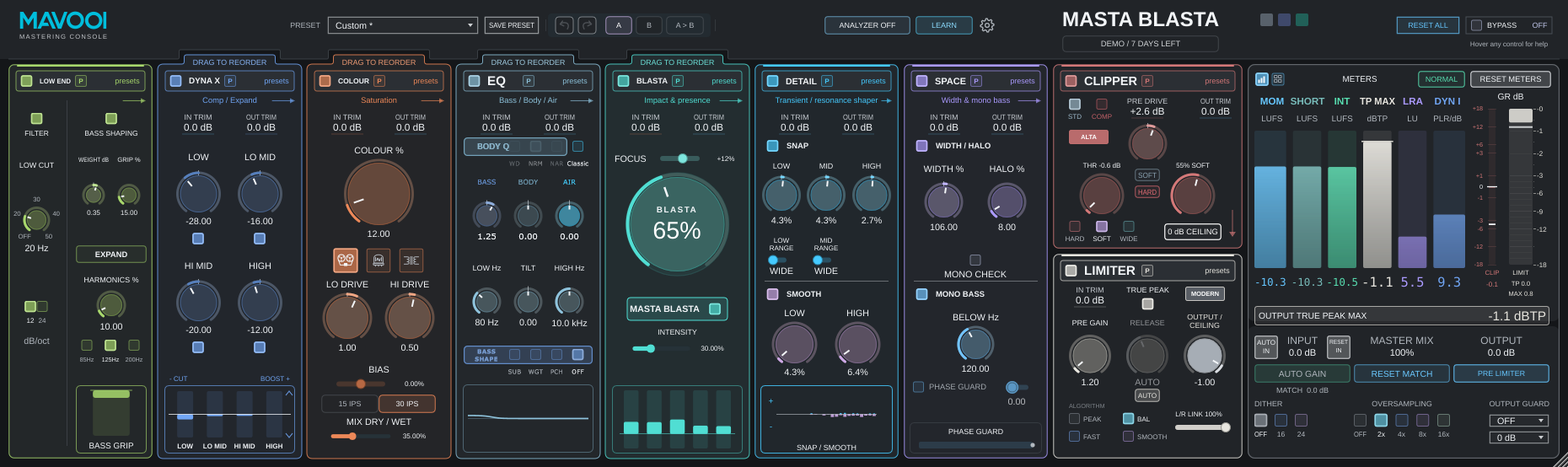
That experience became MASTA BLASTA: my mastering chain, supercharged. A complete console with its own sound, better results and new possibilities. What makes it unique is the whole: the combination of modules, the way they work together and the sound they create.
I built it for myself. It will be the only processor on the master bus of every mix I make. Now you can try it on yours.
START WITH BLASTA
One move. A bigger statement. Start with BLASTA.
Feel the energy, punch and presence. Then go deeper: the entire chain is right here, ready to take that first spark all the way to your finished master.
BLASTA
This is the “play it again” moment.
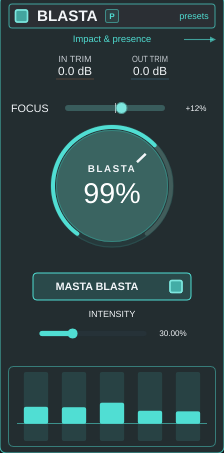
The moment your own mix pulls you back in. BLASTA sets the direction with more energy, harder-hitting punch and presence that commands attention.
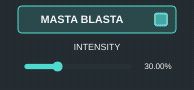
THE MASTA BLASTA BUTTON
More character. Greater punch.
Engage a more intense BLASTA character, with extra harmonics across three bands and independent attack enhancement. The INTENSITY slider below the button controls these two additions. This mode works while the BLASTA section is enabled.
Module details
Energy and punch
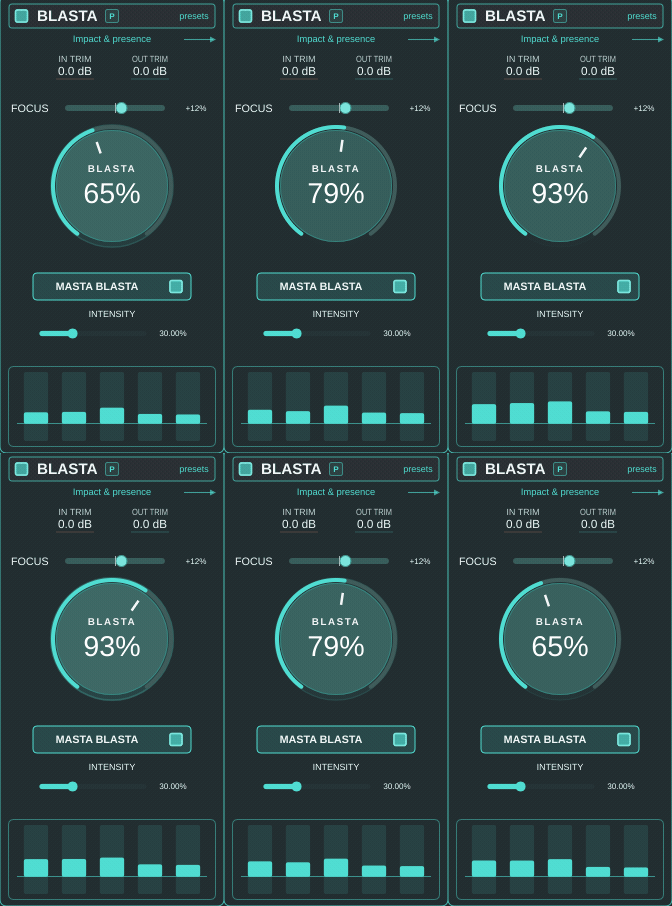
AMOUNT sets the sonic direction — from a subtle lift to a bolder character.
Presence in focus
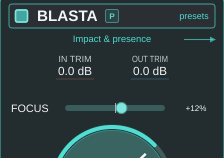
FOCUS brings the presence region forward or eases it back. Find the right place in your mix.
Technical specifications and processing
BLASTA
AMOUNT: 0–150%. Five-band, signal-dependent character and dynamics shaping.
FOCUS: −100…+100. Adaptive midrange-presence control to help place the centre of the mix.
FOCUS shapes midrange presence and tonal placement; it is not vocal source separation.
IN TRIM: ±6 dB; OUT TRIM: ±12 dB. Set drive and output level independently.
MASTA BLASTA BUTTON
Adds three-band harmonic enhancement and independent attack enhancement.
INTENSITY: 0–100%. Controls the extra harmonics and attack; at 0%, the mode’s stronger underlying BLASTA character remains.
Requires the BLASTA section to be enabled. This is an additional mode, not the console’s global bypass.
Bass, SMOOTH and dynamics. See them move.
Processing layers
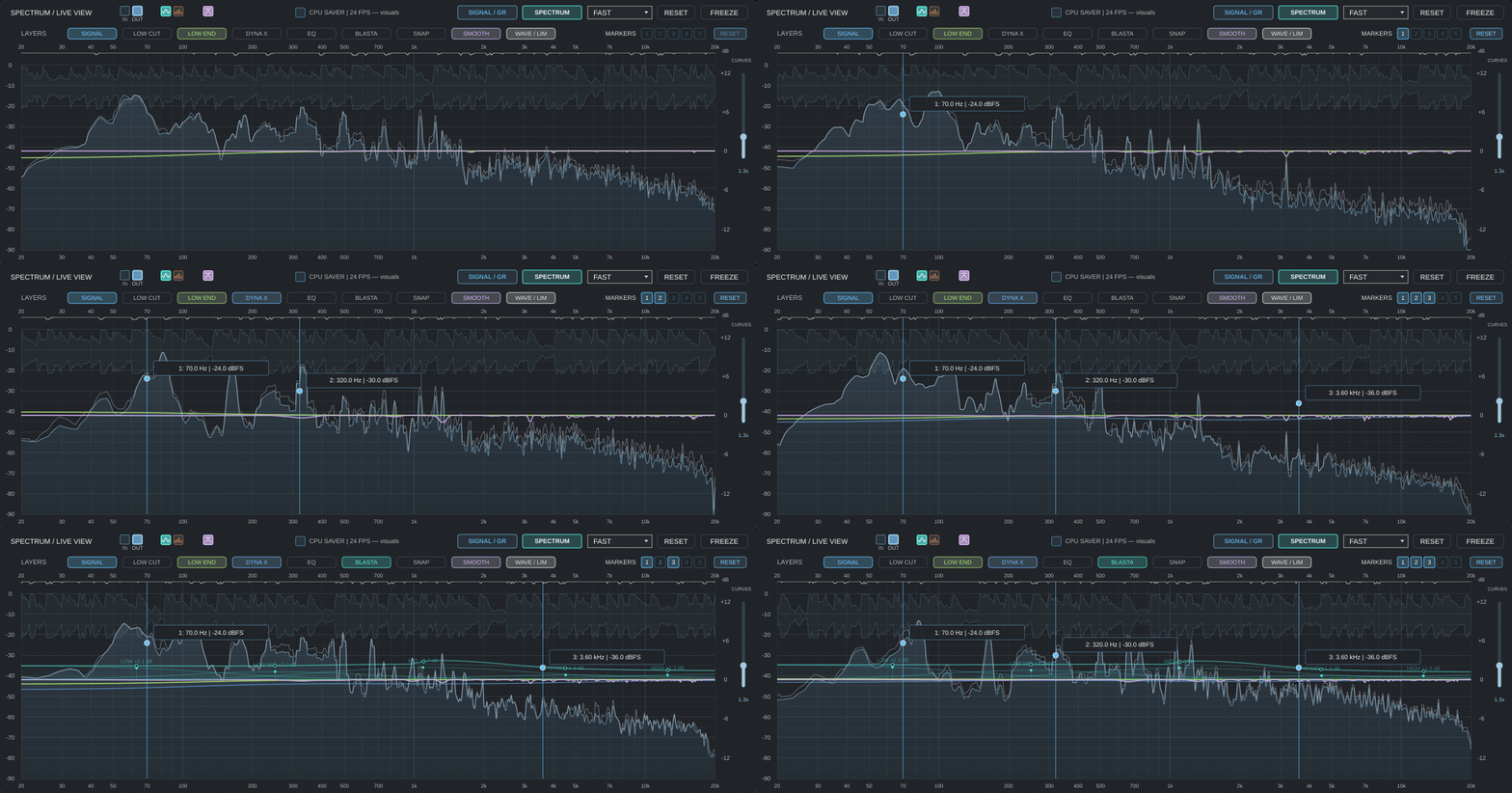
View the signal spectrum alongside separate visual layers for LOW CUT, LOW END, DYNA X, EQ, BLASTA, SNAP and SMOOTH. Show or hide individual layers to focus on a particular stage. These switches control the display, without bypassing the processors.
Reference markers
Place up to five frequency and dBFS level markers. Move, hide or reveal them to keep your own reference points while analysing the mix. These are visual markers, not EQ nodes: moving them does not change the sound.
LOW END / DYNA X
Low end that carries the record.
Feel the weight of the bass and the drive of the kick. Shape how they lock into the mix, with a solid foundation and room for the groove to breathe.
Module details
A solid foundation
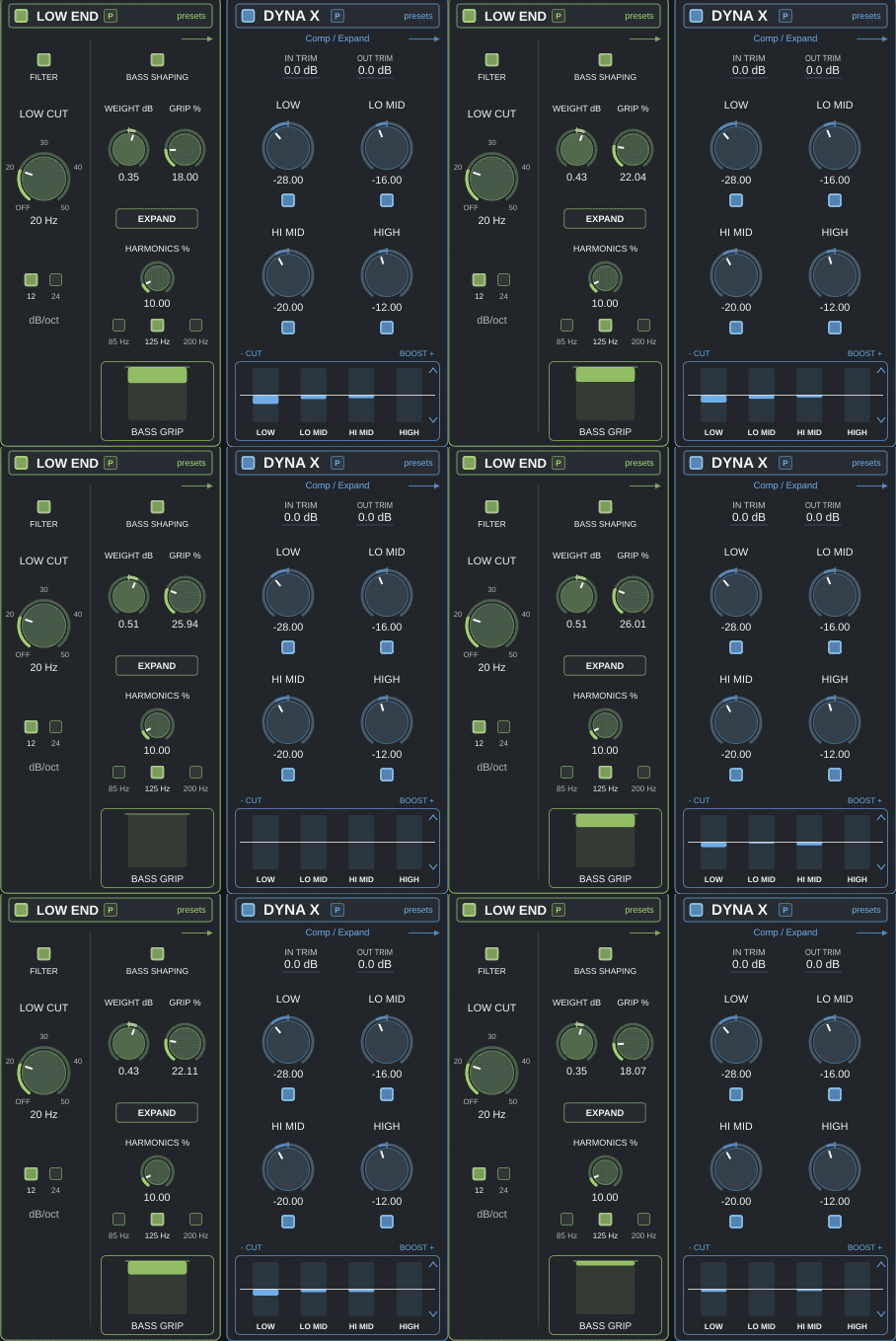
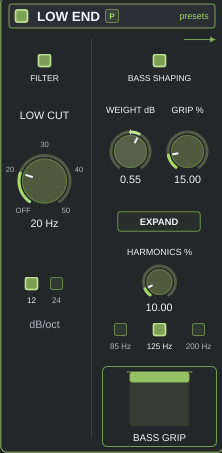
LOW END controls sub frequencies and shapes bass weight and harmonics.
Four bands of dynamics
DYNA X offers independent compression or expansion. Work only on the ranges that need it.
Technical specifications and processing
LOW CUT / LOW END
LOW CUT: OFF, 20, 30, 40 or 50 Hz. Filter slope: 12 or 24 dB/oct.
LOW END ranges: SUB 85 Hz, LOW 125 Hz or BODY 200 Hz.
EXPAND reverses the low-end dynamics action. Section OUT TRIM: ±12 dB.
DYNA X
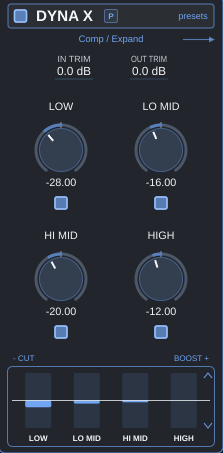
Four independently enabled bands: LOW, LOW MID, HIGH MID and HIGH. Process only the ranges that need attention.
Bipolar control per band for compression or expansion, with a neutral centre position.
The stereo-linked detector responds to the energy of both channels.
IN TRIM and OUT TRIM: ±12 dB. The analyser displays the current four-band gain response.
COLOUR / EQ
Give your mix a signature.
Tape warmth. Tube density. Transformer attitude. Find the colour that makes this record sound like yours.
TAPE · TUBE · TRANSFORMER
Module details
Three saturation flavours
TAPE, TUBE and TRANSFORMER. Set the character, low- and high-frequency drive, and DRY / WET blend.
TAPE · Studio-tape character
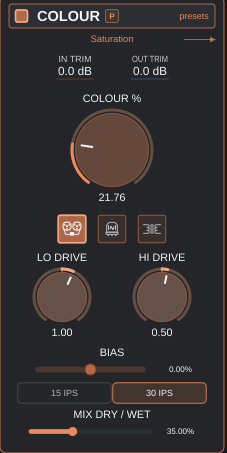
Progressive saturation, gently rounded transients and fuller lows. 15 IPS leans towards stronger colour, while 30 IPS offers a more open profile.
Adjust BIAS and LO / HI DRIVE, then set DRY / WET. Compare at matched loudness to judge the character itself.
TUBE · Pentode / Triode
Two independent valve-character controls. PENTODE brings out edge and presence; TRIODE lets you explore gentler peak rounding.
DENSITY sets the drive. Dose the effect with DRY / WET and use OUT TRIM to match the comparison level.
TRANSFORMER · Density and colour
Transformer-style saturation. CORE sets the intensity, from subtle density to more pronounced harmonics.
LOW / HIGH / FLAT focuses the character on the lows, highs or full spectrum. Balance it to suit the mix.
Technical specifications and processing
TAPE
15 / 30 IPS, equivalent to 38.1 / 76.2 cm/s. Speed changes the bandwidth and saturation character.
BIAS: −100…+100. Tailor the tape-saturation character.
A functional studio-tape model; this description does not imply calibration to a particular tape machine or formulation.
Studio-tape-style saturation: compare the fuller character of 15 IPS with the more open 30 IPS setting.
LO DRIVE / HI DRIVE: ±6 dB. Shape low- and high-frequency colour, then dose the result with DRY / WET.
TUBE
PENTODE and TRIODE: independently 0–100%. Balance a more pronounced character against gentler peak rounding.
DENSITY: −6…+6 dB. Controls drive within the modelled path.
Pentode- and triode-style saturation. Balance the two controls to shape density, edge and softness.
TRANSFORMER / COLOUR
CORE: 0–100%. Dose transformer-style colour, from subtle density to more pronounced saturation.
LOW / HIGH / FLAT selects the spectral region feeding saturation.
COLOUR: 0–100%; DRY / WET: 0–100%. Three models: TAPE, TUBE and TRANSFORMER.
IN TRIM: ±6 dB; OUT TRIM: ±12 dB. Drive and output level are independently adjustable.
EQ · Tonal balance
Refine the lows, mids and highs. Shape the weight and openness around your track.
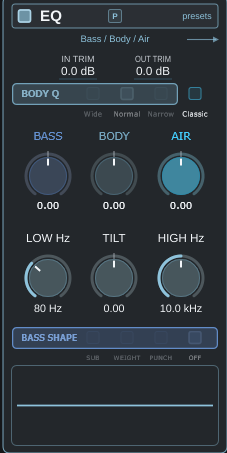
AIR · Classic / New Use the switch next to BODY Q to choose the AIR curve. Classic keeps the original response. New gives the upper treble a gentler lift.
Technical specifications and processing
EQ
BASS and BODY: ±6 dB; AIR: ±12 dB; TILT: ±12 dB.
BASS SHAPE: SUB 45 Hz, WEIGHT 80 Hz, PUNCH 110 Hz or OFF; shelf-frequency adjustment scales the selected base frequency.
AIR shelf frequency: 2–18 kHz.
BODY Q: WIDE / NORMAL / NARROW. Separate IN TRIM and OUT TRIM: ±12 dB.
DETAIL / SPACE
Make it hit. Let it surround you.
Bring out the pulse, open up the space and let the details land. From the leading edge to the stereo field, shape how the whole record feels.
Module details
Attack and smoothness
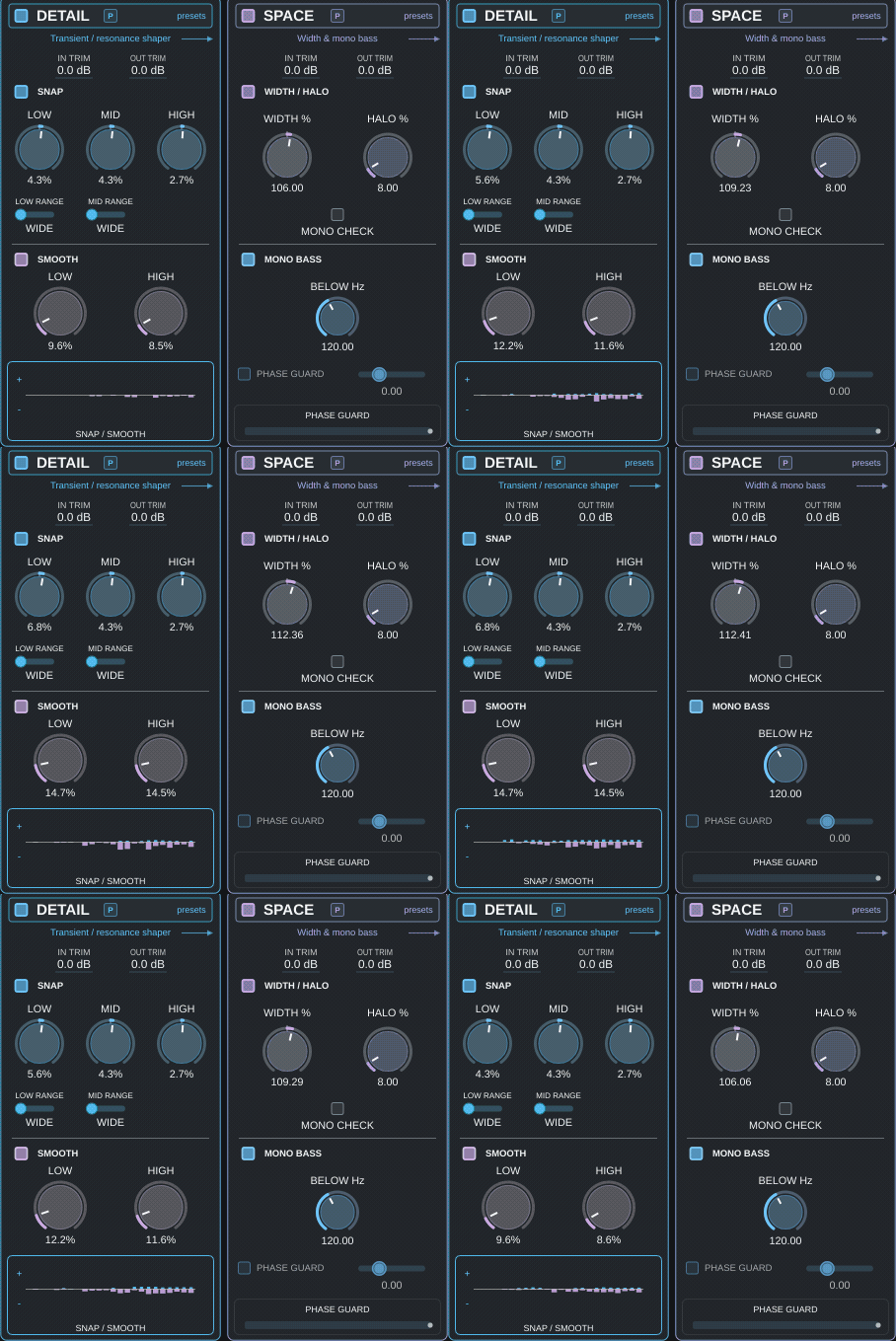
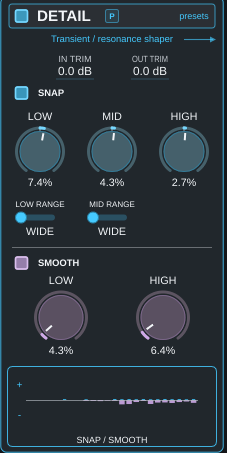
SNAP shapes transients across three bands. SMOOTH helps tame low- and high-frequency resonances.
Width with focused lows
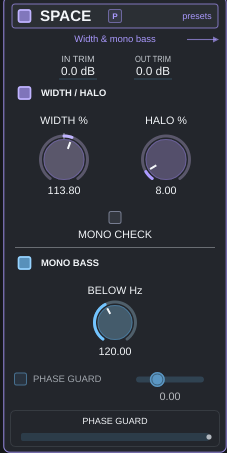
WIDTH and HALO open up the space. MONO BASS centres the low end; mono monitoring helps you check the result.
Technical specifications and processing
SMOOTH / SNAP
SMOOTH LOW and HIGH: independently 0–100%. Dynamic control of excessive low- and high-frequency resonances.
SNAP LOW / MID / HIGH: −100…+100%. Enhance or soften transients across three ranges.
SNAP TARGET: LOW 30–250 Hz; MID 400 Hz–3 kHz. Focused modes concentrate processing around the chosen frequency.
DETAIL IN TRIM and OUT TRIM: ±12 dB.
SPACE / MONO / PHASE
WIDTH: 0–200%, with 100% neutral. HALO: 0–100%.
MONO BASS: 0–300 Hz, with independent control over the lowest stereo range.
MONO monitoring for compatibility checks; PHASE GUARD correlation threshold: −0.25 to +0.5.
SPACE IN TRIM and OUT TRIM: ±12 dB.
HALO adds space; check the result with MONO monitoring and the stereo meters.
CLIPPER / LIMITER
Push the excitement. Own the peaks.
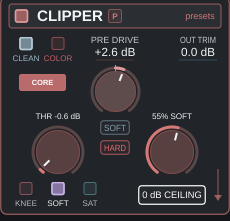
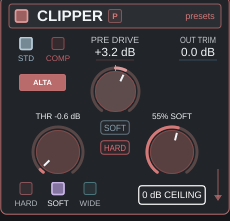
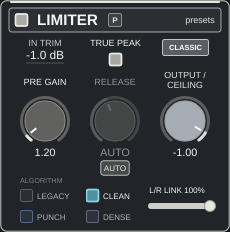
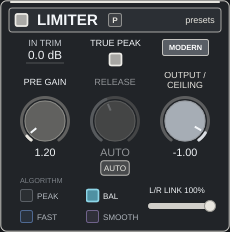
CORE or ALTA. CLASSIC, MODERN or PRO. Choose your clipping and limiting character, share the work between stages and find the loudness that serves the record.
PRE DRIVE / OUT TRIM · SOFT / HARD · 0 dB CEILING
CLIPPER · Two ways to shape your peaks
CORE · Shape and character
Choose hard clipping, a soft knee or saturation. Match the curve to catching isolated peaks or adding more pronounced density and character.
ALTA · Progressive response, precise control
An independent oversampled engine with a progressive transition into clipping. Use SOFT / HARD and the knee variant to move from open transients to controlled peak shaping.
LIMITER · Three approaches to loudness
CLASSIC · Groove and direct control
Direct lookahead peak control. Manual or automatic RELEASE lets you match gain recovery to the rhythm and density of the material.
MODERN · Precision and transparency
An approach aimed at precise transient control and transparent loudness. Adjust character, RELEASE and L/R LINK, then compare with CLASSIC at matched loudness.
PRO · Smooth reduction, steady low end
Adaptive peak control that responds to the character of the bass. A fast stage catches transients while a slower stage manages sustained gain reduction. With strong, sustained low frequencies, PRO extends the fast stage’s recovery to help reduce bass distortion. Adjust RELEASE and L/R LINK, then compare with CLASSIC and MODERN at matched loudness.
Two-Stage Clipping · The two-stage trick
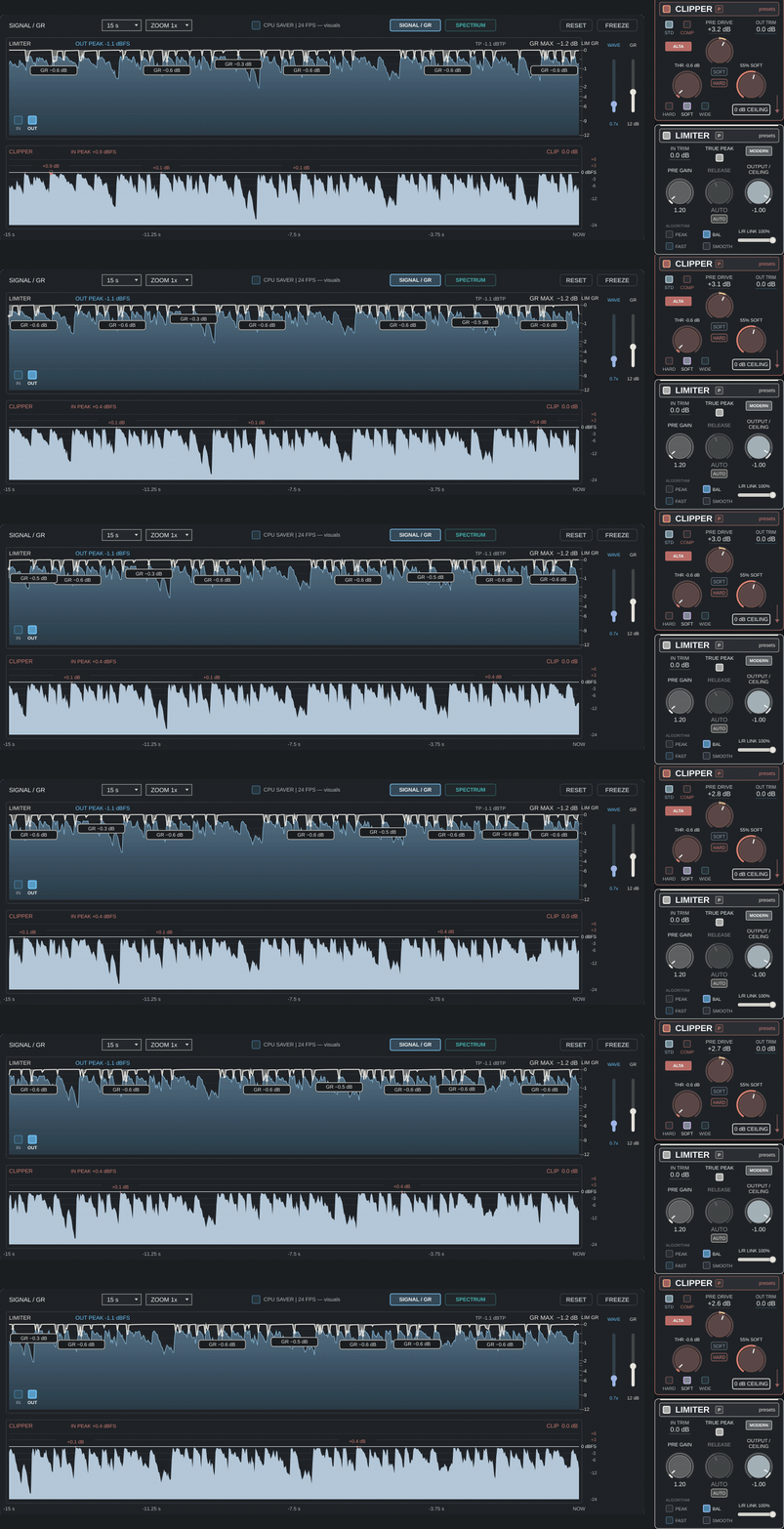
PRE DRIVE determines how hard you hit the first clipper: CORE or ALTA. OUT TRIM sets the level after it, before the optional 0 dB CEILING. Raising OUT TRIM with CEILING enabled can drive a second, hard-clipping stage, which engages only above 0 dBFS. Share the clipping between two stages and tailor the balance of character shaping and peak control.
Module details
Two-Stage Clipping
PRE DRIVE → selected clipper → OUT TRIM → optional 0 dB CEILING. The second, hard-clipping stage engages only above 0 dBFS.
Technical specifications and processing
CLIPPER · CONTROLS AND SIGNAL PATH
Two independent engine choices: CORE and ALTA. The clipper engine does not dictate the limiter engine.
IN TRIM: ±6 dB; PRE DRIVE: −18…+18 dB; THR: −18…0 dB; OUT TRIM: ±12 dB.
SOFT / HARD adjusts the transition into clipping. CORE offers transfer-character choices; ALTA provides a progressive response and knee variants.
Audio oversampling: OFF / 2× / 4× / 8× / 16×. This setting also affects the console’s other oversampled processing.
0 dB CEILING is an optional hard-clipping stage after OUT TRIM. It catches sample peaks above 0 dBFS; it is distinct from True Peak protection.
LIMITER · TIMING AND CHARACTER
RELEASE: 20–400 ms. AUTO RELEASE adapts gain recovery to the character of the material.
L/R LINK: 0–100%; PRE GAIN: 0…+24 dB; IN TRIM: ±6 dB; OUTPUT / CEILING: −12…0 dB.
Lookahead helps control upcoming peaks. It is not the plugin’s total latency; the complete console delay is reported to the DAW.
Engine delays are aligned to preserve the console’s timing when changing modes.
CLASSIC: direct peak control, with RELEASE shaping groove and gain recovery.
MODERN: an approach aimed at precise transient control and transparent loudness.
PRO: an adaptive lookahead engine with separate transient and sustained-reduction control, responding to low-frequency energy and tonal stability.
True Peak: optional protection for intersample peaks. Check TP MAX when assessing the final level.
ANALYSIS / WORKFLOW
Feel the result. See the whole picture.
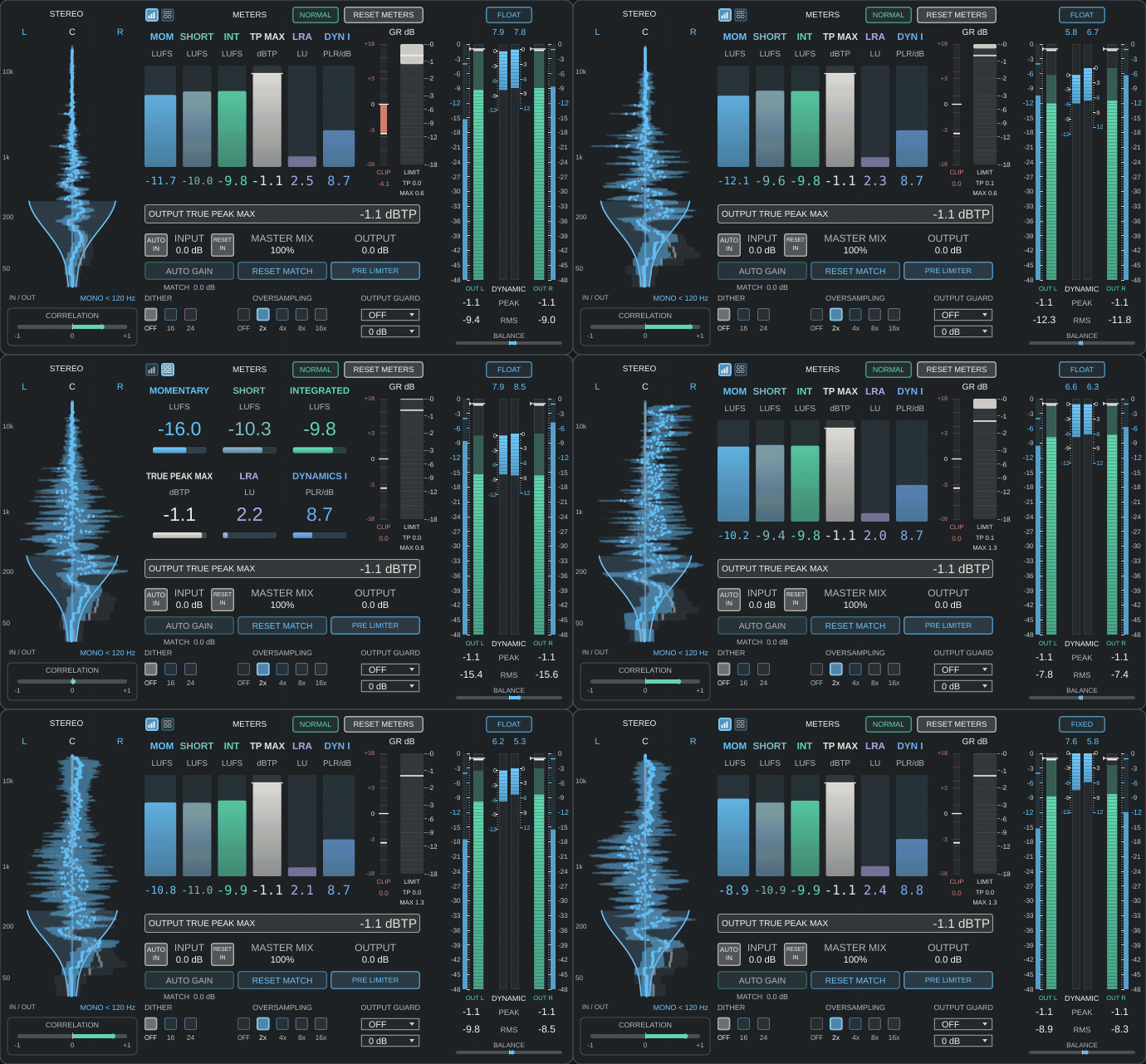
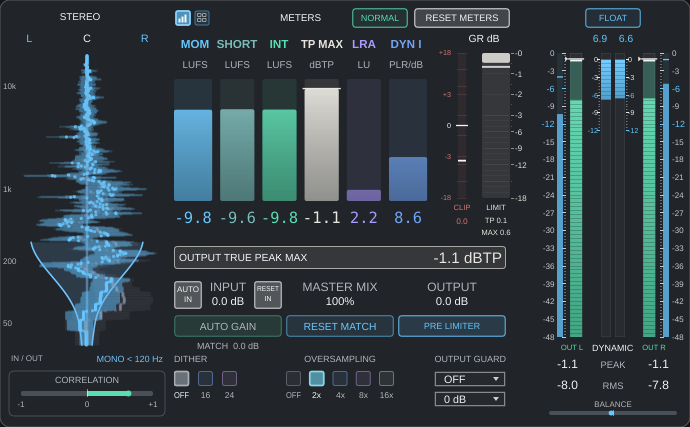
Trust the impact. Check the levels. Make the call. Spectrum, SIGNAL/GR, LUFS, True Peak and IN / OUT comparison put your master in focus.
AUTO LEARN · A starting point for your mix
Analyses your mix and suggests settings for tone, dynamics, stereo and loudness, using your own reference or the mix alone. Choose the matching options and strength, apply the draft to B and compare it with your previous settings in A. Every parameter remains available for manual refinement. This is a starting point for further work, not a finished or automatic master. You make the final decisions.
Module details
Metering alongside listening
LUFS, True Peak, dynamics and IN / OUT. Assess the level and the result while keeping comparisons under control.
Find your starting point faster
AUTO LEARN, presets, A/B and Undo/Redo help you find a direction. You make the final decisions.
Technical specifications and processing
ANALYSER AND METERING
SPECTRUM / LIVE VIEW and SIGNAL / GR, with IN / OUT source selection and dynamics history.
Spectrum options include 64 bars, peak hold, a dense frequency grid and FAST / SLOW / AVERAGE response.
Layers: SIGNAL, LOW CUT, LOW END, DYNA X, EQ, BLASTA, SNAP and SMOOTH. Layer switches affect the display only.
Up to five frequency and dBFS level markers: add, move, hide and remove. Markers do not alter the sound.
Signal-history windows: 5 / 15 / 30 / 60 s. Separate waveform and limiter-reduction vertical zoom.
LUFS M / S / I, True Peak Max, dynamics, stereo and Mid/Side views, plus meter reset.
LEVEL, QUALITY AND WORKFLOW
INPUT: −24…+24 dB; OUTPUT: −24…+12 dB. OUTPUT can be placed PRE or POST limiter.
MASTER MIX: 0–100%; final dither: OFF / 16-bit TPDF / 24-bit TPDF.
OUTPUT GUARD: OFF or 0 / −0.3 / −1 dBFS ceiling, with optional True Peak protection.
AUTO IN and loudness matching; presets, A/B comparison and Undo/Redo.
Collapsible analyser and scalable interface. CPU saver reduces visual refresh from 24 to 12 fps without changing the audio DSP.
NORMAL / PRECISE
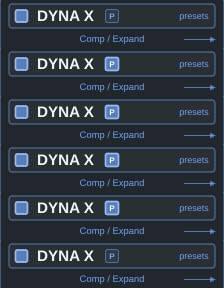
P toggles PRECISE independently for each complete module.
NORMAL for faster moves; PRECISE for finer adjustments; Shift for extra-fine control.
This is a control mode. Switching preserves parameter values, dial appearance and audio processing.
Example: the P switch in DYNA X.
AVAILABLE IN EVERY MODULE · NORMAL / PRECISE
Fine control. In every module.
Every MASTA BLASTA module has its own P switch. Choose NORMAL or PRECISE independently for each module: NORMAL for quick adjustments, PRECISE for subtle mastering moves. Hold Shift for even finer control. Switching modes preserves your settings and does not change the sound.
The movement in your mix, made visible.
MODULAR · DRAG TO REORDER
Your chain. Your order.
MASTA BLASTA is modular. Reorder four sections — DYNA X, COLOUR, EQ and BLASTA — by dragging their “DRAG TO REORDER” headers. This changes the processing order, not just the layout. Put EQ before or after saturation and hear how the order shapes the result.
Drag the section names to try different orders. This is an interactive signal-path example; in the plugin, drag the module headers.
You can also focus a section with Tab and move it using the ← / → arrow keys.
AS MUCH VIEW AS YOU NEED
The full picture. A compact console.
Hide the analyser and focus on the sound.
Audio examples soon
Level-matched before/after examples and demonstrations of individual modules are coming soon.
MASTA BLASTA · FULL LICENSE
MASTA BLASTA pricing
Regular price
49 €
PLN 249.99
Target regular price for the full licence.
Target full price: 49 € / PLN 249.99
Launch price
49 € / PLN 249.99
29 €
PLN 149.99
Limited-time launch offer.
Beta tester price
19,99 €
PLN 89.99
For all beta testers who signed up by 9 November 2026 (inclusive) and were registered in our system. Complete, honest feedback is required; the discount does not depend on a positive review.
Full MASTA BLASTA licence. Final prices, including taxes. Launching soon.
STAY IN THE LOOP.
MASTA BLASTA. Coming soon.
Sign up to be notified when MASTA BLASTA launches.
Windows · VST3macOS · VST3 + AU (Audio Unit)Linux · VST3